
 |
|
 |
 Back to PloobNet Home
 Back to Service Directory
 Mail Administrator
 PHP File
 Not important
 Still not important
Minecraft Ploob Loader 14 Server Info & Instructions
This page serves as a guide on how to connect & how to get set up with MPL14 in Modrinth.How to Connect
Follow these handy instructions on how to connect!You'll need MPL14 to connect.
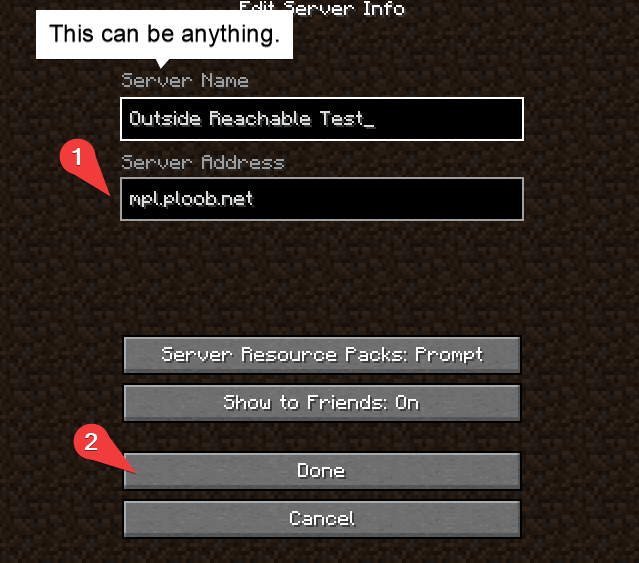
1. Put "mpl.ploob.net" into the Server Address
2. Press Done
After creating the server, you can connect via the Play Multiplayer menu.
Or, optionally:
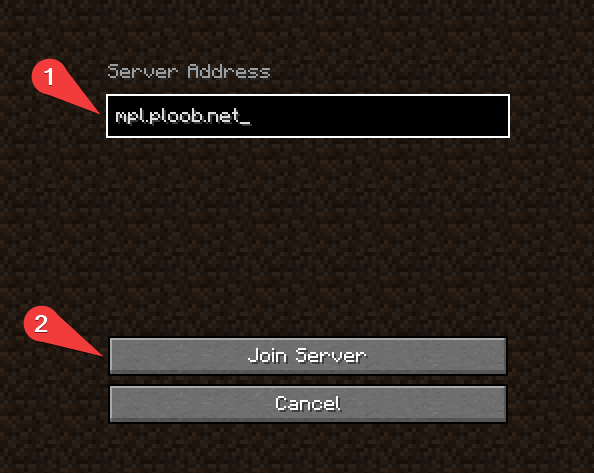
0. Press "Direct Connection" from the Play Multiplayer menu
1. Put "mpl.ploob.net" into the Server Address
2. Press Join Server
How to Get Minecraft Ploob Loader 14.6
To get MPL14, you will need:
‣ Modrinth App (Link) (please click)‣ Legal Copy of Minecraft: Java Edition (server is not in offline mode)
‣ A copy of the Minecraft Ploob Loader 14.6 Kinda.mrpack file (Linkily Clickily) (Prev. Versions Archived: manually type filename)
‣ A basic understanding of Minecraft modding
‣ A Desktop Computer (duh) (some laptops work too)
To install MPL14, follow these steps:
THIS IS OUTDATED, WAIT FOR AN UPDATE TO THIS INFO PAGE1. Download the Modrinth App from the link above
2. Open the Modrinth App
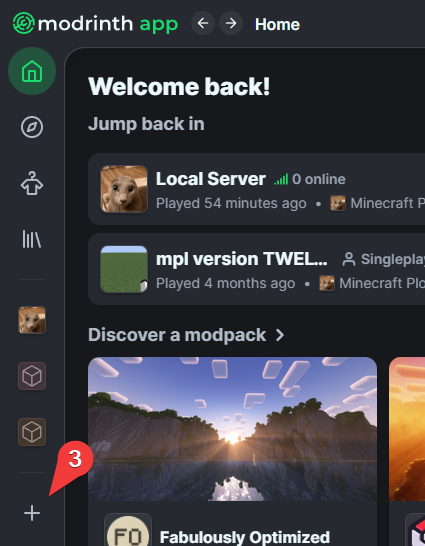
3. Click on the + located near the middle of the sidebar
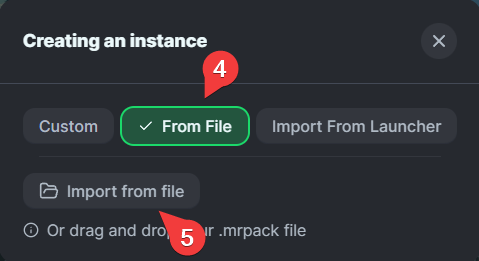
4. Click on "From File"
5. Click on "Import from file"
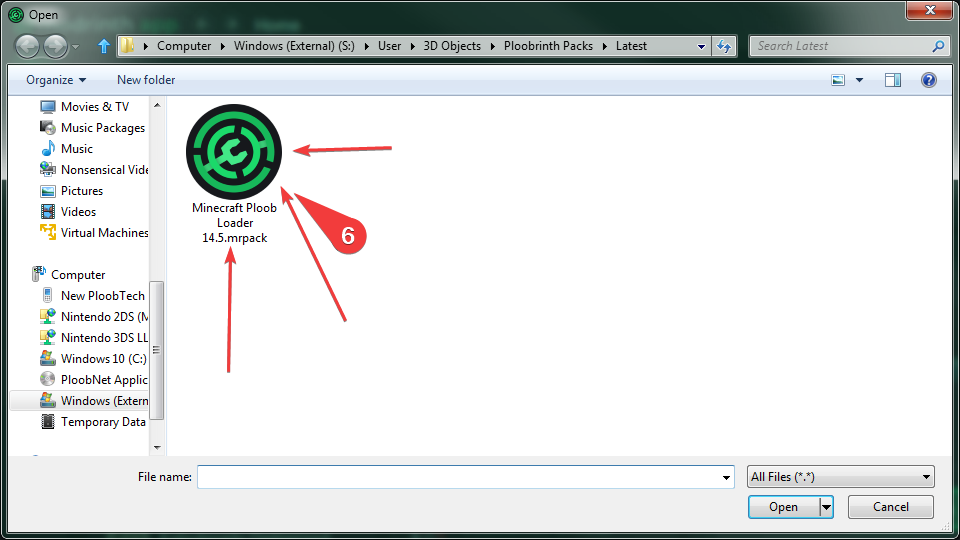
6. Open the "Minecraft Ploob Loader 14.6 Kinda.mrpack" file, wherever it may be stored (image outdated)